
Track each enquiry through to an attended visit
Real estate lead generation in Lucknow works best when your sales team can trace an attended site visit back to the enquiry and campaign that started it. Start with one CRM record per buying opportunity, a named salesperson and four clearly defined stages. The campaign that generates the most forms can turn out to be the one that sends the fewest buyers to the property.
Imagine a buyer asking on WhatsApp about a three-bedroom flat near Gomti Nagar. The ad name stays in the ads dashboard and the visit goes into a salesperson’s diary. When Monday comes, both records are correct, but nobody can connect them. Give the buyer a single record with the project, original source, campaign and next action, then use that record to schedule and log the visit.
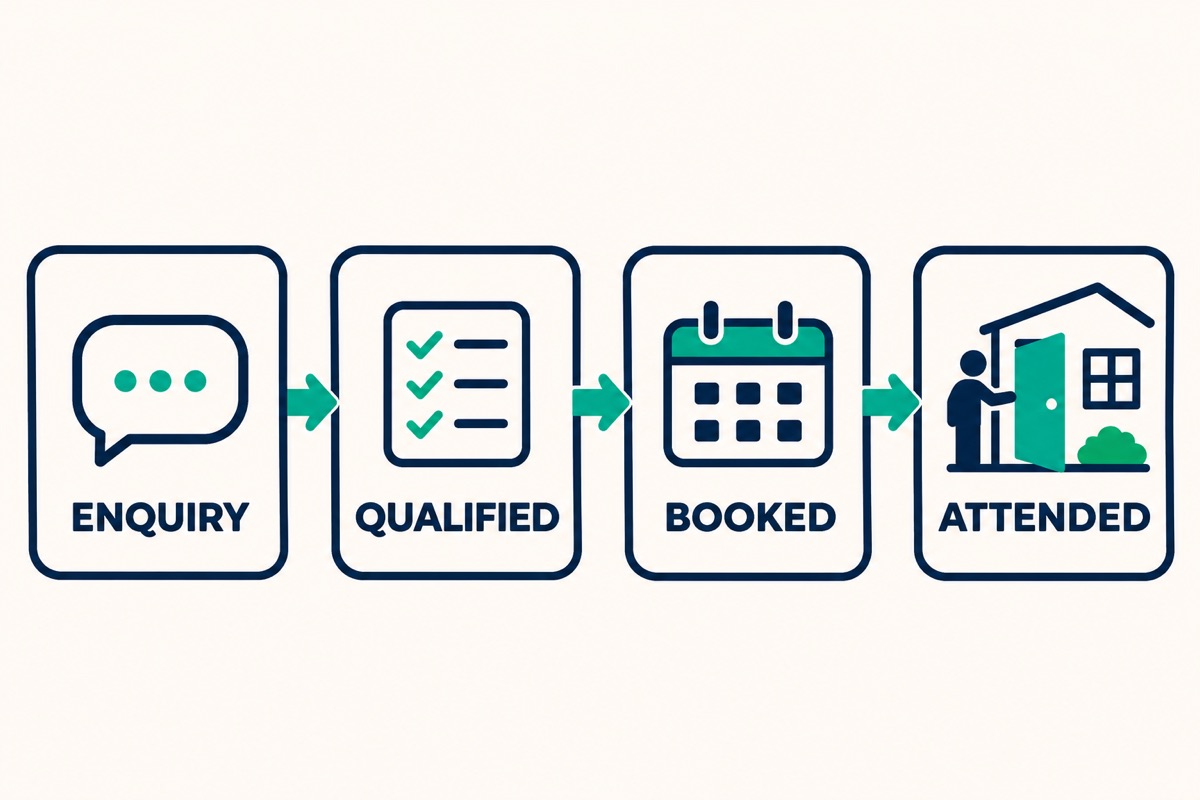
Define the stages before your first campaign review. A new enquiry has been received and needs a response. A qualified enquiry fits your agreed criteria and has had those details confirmed. A booked visit has a date, time and confirmed buyer. An attended visit has been marked complete by the salesperson after the buyer arrives.
Keep no-shows, cancellations and reschedules separate. If a visit moves from Sunday to Tuesday, update the appointment instead of creating a second lead. If both partners enquire about the same property, check whether they are part of the same buying opportunity before merging records. That keeps your reporting consistent without losing either person’s contact preference.
Read the broader guide to AI in real estate marketing in Lucknow ↗
Set up Google Ads, Meta and WhatsApp lead sources
Start with one property offer and a landing page that explains it clearly. A buyer clicking an ad for three-bedroom flats near Gomti Nagar Extension should land on a page about that offer. Show the location, available configurations, the basis for any price shown and what happens when they request a visit. Use approved project details and current images so the salesperson can carry on the same conversation.
For Google Ads campaigns that send buyers to the site, record campaign identifiers or consistent campaign tags with the enquiry. In a test, tap the ad destination from a phone and check that the submitted record contains the source, campaign and project. A tracking tag can describe a campaign. Your form or integration still needs to save it with the enquiry. Keep customer names, emails and phone numbers out of tracking URLs.
For Meta lead forms, check that form submissions land in the same CRM as website enquiries and preserve their form and campaign identifiers when available. If a campaign sends people to WhatsApp, a project-specific entry point or a neutral campaign reference in the suggested opening message can help your team identify the source. A buyer can edit that message, so allow an unknown source and ask the salesperson to confirm it when possible.
Log portal, referral and phone enquiries in the same place. If a prospect first filled out a form and later called, preserve the original source and add the call as an interaction. When attribution is uncertain, record the uncertainty. Guessing creates a cleaner-looking report and worse budget decisions.
Qualify buyers before offering a site visit
Write a qualification rule for the project before the team starts calling leads. For a single apartment project, you could look for a compatible area, configuration and broad budget range, plus a realistic buying timeline. Someone whose budget still needs clarification can stay open with a specific follow-up task. Someone looking for a rental should be marked separately when the campaign is for sale.
Start with a short form that collects only what the team needs for the first reply. Ask questions in the conversation when they naturally fit: Which area are you considering? What configuration do you need? What price range are you comfortable exploring? When do you expect to make a decision? Would you prefer a call, a brochure or a visit?
Add a few reason labels for mismatches, such as budget, locality, property type or timeline. Keep unreachable enquiries distinct from those that have been assessed. An unanswered call tells you something about contact and lead handling, but it tells you little about whether the offer fits. Review your most common reasons by campaign before changing the audience or creative.
Agree on a response window you can meet and a backup owner for new enquiries. Make the next action realistic. Someone who asked about parking should get an answer about parking before a long sales pitch. Ask for the buyer’s preferred way to continue and respect requests to stop follow-ups.
Give the sales team a CRM field list
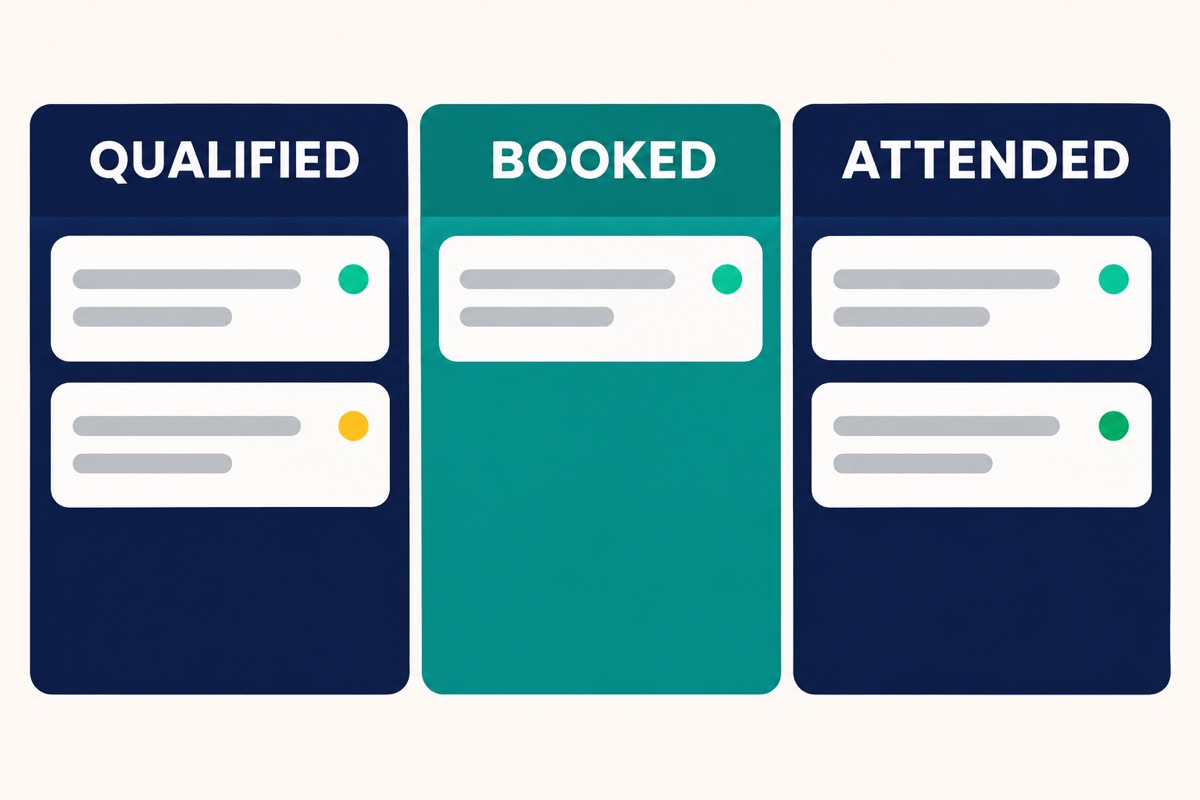
Use this field list as a starting point for each buying opportunity. Choose fields the team will fill in and make ownership and next action visible on the board. A separate spreadsheet can work for a pilot, provided everyone updates the same copy.
Core record: enquiry ID, received date, buyer contact preference, project, original source, campaign or form reference, owner, current stage and next action date.
Qualification: preferred locality, configuration, budget range, buying timeline, fit status and reason. Visit: booked date and time, meeting point, assigned salesperson, attendance outcome and actual visit date. Sales progress: next decision, booking status if known and the last update date.
For a fictional example, enquiry LKO-014 arrives from a Meta project campaign on Tuesday. The buyer wants a three-bedroom apartment, asks about parking and confirms a Sunday visit. The owner records the date and meeting point. On Sunday the owner marks attendance and adds a Monday follow-up about the available floor plans. The campaign stays attached to the same record through each update.
Test one enquiry through every stage before inviting the whole team to use the board. Check that your report can answer who owns the lead, where it came from and what needs to happen next. If those answers require looking in another system, fix that gap first.
Use AI to prepare the follow-up and confirm the visit
Give the AI assistant a narrow job: summarise the enquiry, flag what is missing and draft a reply from approved project information. For example, it can tell the salesperson that the buyer wants a three-bedroom flat, can visit on Sunday and still needs the latest price range. The salesperson checks live availability, picks an open time and reviews the reply before it goes out.
A useful confirmation includes the date, time, exact entrance or meeting point, a verified map pin, the contact name and a simple way to reschedule. Ask for a reply if the time is provisional. When you receive a response, mark the confirmed appointment in the CRM and set a reminder at a time appropriate for the buyer. A message sent by the team is a separate event from a confirmation from the buyer.
Give the assistant a clear handoff when a buyer asks about a discount, availability that isn’t in the approved record or a complaint. Check any details that can change between conversations. After the visit, ask what the buyer wants to review next and record their answer. When someone doesn’t come, ask whether they want another time and mark the outcome accurately.
Sample WhatsApp confirmation. Replace the bracketed fields and send it on an agreed contact channel.
Calculate cost per attended site visit
Divide campaign ad spend by the number of distinct enquiries from that campaign that led to an attended visit. If one buyer visits twice, count the first attended visit for that enquiry. Track repeat visits separately if they matter to your sales process. To calculate cost per enquiry, divide the same spend by the number of distinct enquiries. Keep both figures visible in your report.
Use the same enquiry dates and the same amount of follow-up time when comparing campaigns. For example, take the enquiries received Monday through Sunday and give each at least the same agreed number of days to attend. If you compare all visits that happened this week with this week’s spend, you may count visits booked from last month’s campaigns and miss later visits from new enquiries.
When a campaign has zero attended visits, keep the count visible and show the cost per visit as unavailable. If you include creative, agency or platform fees in your spend, use the same definition for all campaigns and label it. The example below uses ad spend only. It illustrates the calculation with fictional numbers.
| Metric | Campaign A | Campaign B |
|---|---|---|
| Ad spend (₹) | ₹12,000 | ₹12,000 |
| Enquiries | 60 | 30 |
| Attended visits | 3 | 6 |
| Cost per enquiry | ₹200 | ₹400 |
| Cost per attended visit | ₹4,000 | ₹2,000 |
Campaign B costs twice as much per enquiry and half as much per attended visit.
Review the funnel every week and choose one improvement
Start your weekly review by checking missing sources, duplicate enquiries and appointments with no outcome. Ask the team to fill in the gaps where it has evidence. Then look at spend, enquiries, qualified enquiries, confirmed visits, attended visits and known sales outcomes for each campaign. Keep an unknown-source row so the totals still reconcile.
If enquiries are cheap but few qualify, compare the ad’s price, area and property type with what the buyer sees after clicking. Check the most common mismatch reasons before changing the targeting. If qualified buyers rarely book, review how quickly they receive an answer and whether the available slots suit them. If they book but don’t attend, check the map pin, meeting point and rescheduling process.
Pick one change you can evaluate. For instance, if buyers are missing the correct gate, add a verified entrance pin and a landmark to the confirmation message. Compare attendance among booked visits in the next comparable period, and note any other changes in the campaign. With a handful of visits, treat an improvement as a signal to investigate before moving substantial budget.
Keep sales progress in view. Campaign B in the example produced more attended visits for the same spend. If Campaign A’s buyers move further towards a sale, that new information may change your decision. Review the next step after attendance along with the immediate cost per visit.

Questions Lucknow property teams often ask
Can we track visits from WhatsApp without a paid CRM?
Yes. For a small pilot, use a shared sheet with a unique enquiry ID, source, owner and attendance outcome. Make somebody responsible for completing each visit record. Move to a CRM when the team needs automated routing, reminders or better access controls.
Should we start with Google Ads or Meta?
Start with the channel that fits the buying behaviour you can serve and measure. Search campaigns can reach people already looking for a relevant property. Social campaigns can introduce the offer visually. Compare qualified enquiries and attended visits for offers with similar scope, and check how much work the sales team can handle.
What should you bring to a strategy session?
Bring one campaign export, a sample of anonymised enquiry records and the matching site-visit report. Include the project offer and the person responsible for updating attendance. Together, those inputs show where the tracking breaks and what you can fix first.
Sources & further reading
Bring your own context to the next step.
Use this article as a starting point. Your business facts and priorities should shape the actual service scope.
Book a strategy session with MisraJi ↗